

 BG
BG TR
TR RO
RO FR
FR
CCNow (Hosted Page)
>> Open Summer Cart admin panel
>> Go to the Settings menu, under 'Modules' click on Payment link
>> Select 'CCNow'
Summer Cart shopping cart has an embedded module for credit card payments through CCNow payment system which guarantee secure online transactions.
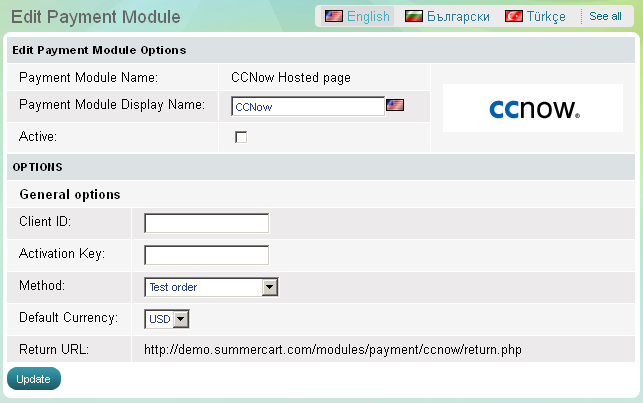
The CCNow module has 4 setup options that need to be completed before its activation:
|
Client ID |
Summer Cart store owner is required to enter his or her Client ID provided by CCNow |
|
Activation key |
Summer Cart store owner is required to enter the encryption key provided with his/her CCNow merchant account. The encryption key is generated by the CCNow system. |
|
Method |
Choose the method by which your customers will pay you. Remember that for secure real-time transactions "Test order" method must be turned off. |
|
Default Currency |
The CCNow merchant is required to choose default currency. |