

 EN
EN BG
BG TR
TR RO
RO
Add states
In some cases it's important to specify the states, provinces or counties belonging to a country, especially when these regional units affect shipping and tax charges.
You can add states through 'Countries' page or through 'States' page.
Add states through 'Countries' page
- Go to the Settings menu, under 'Locations and Taxes' click on Countries link. 'Countries' page appears.
- Locate a country and click on States link at the end of its row. 'Manage states' page appears.
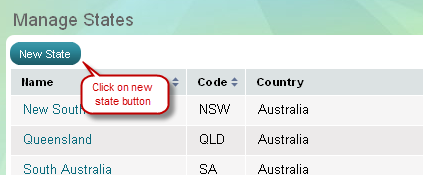
- Click on 'New state' button on top of page. 'Create a state' page appears.
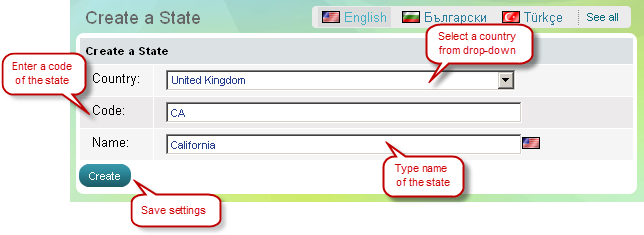
Add states through 'States' page
- Go to the Settings menu, under 'Locations and Taxes' click on States link. 'States' page appears.
- Click on 'New state' button on top of page. 'Create a state' page appears.