EN
EN BG
BG TR
TR RO
RO
Table based shipping
- Go to the Settings menu, under 'Modules' click on Shipping link.
- Find 'Table based' and click on Options link at the end of its row.
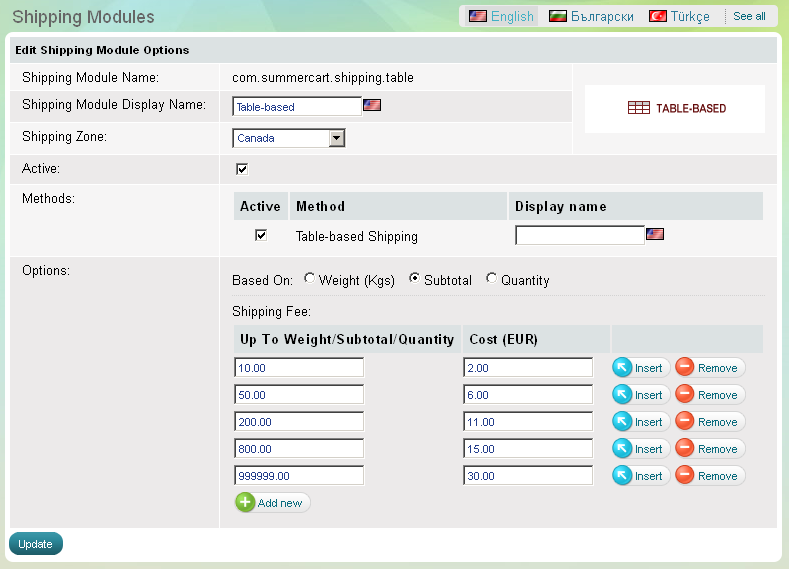
'Table-based' shipping module enables you to deliver products at fees calculated on the basis of order weight or order subtotal. To configure 'Table-based' shipping module click on Options link at the end of its row.
To set up table-based shipping calculation follow these steps:
- opt for a shipping zone
- decide if your shipping fees would be based on order's weight or order's subtotal value
- submit ranges of weight or subtotal value and their corresponding shipping fees
You can make up your calculations as detailed as you wish by adding fields with  .
.
Choose an appropriate shipping zone from 'Shipping zones' drop-down menu.
If you still haven't created an appropriate shipping zone, please go to the Settings menu, Locations and Taxes >>> Shipping zones link and create a new shipping zone.
'Table-Based Shipping' Options