
 EN
EN BG
BG TR
TR RO
RO
Remove options
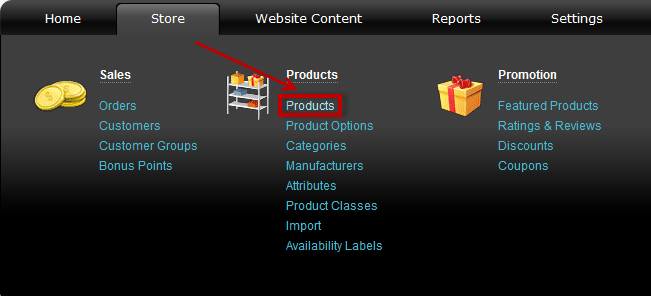
- Go to menu Store >>> 'Products' section >>> Products
- Find a product and click on
 at the end of its row.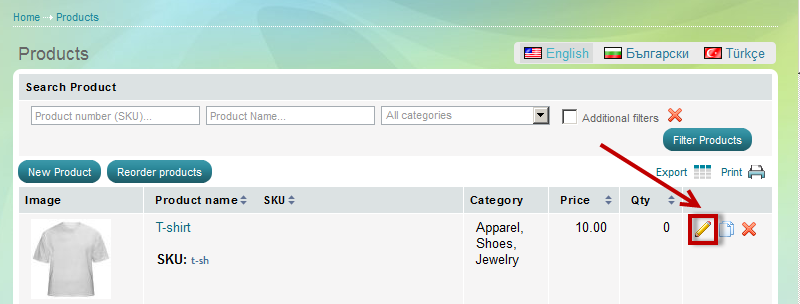
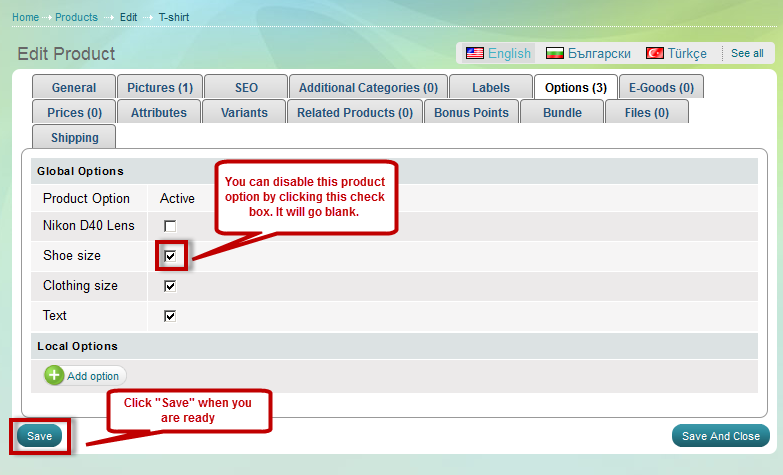
- 'Edit Product' page appears.Open 'Options' tab and use the check box to remove inappropriate option groups.
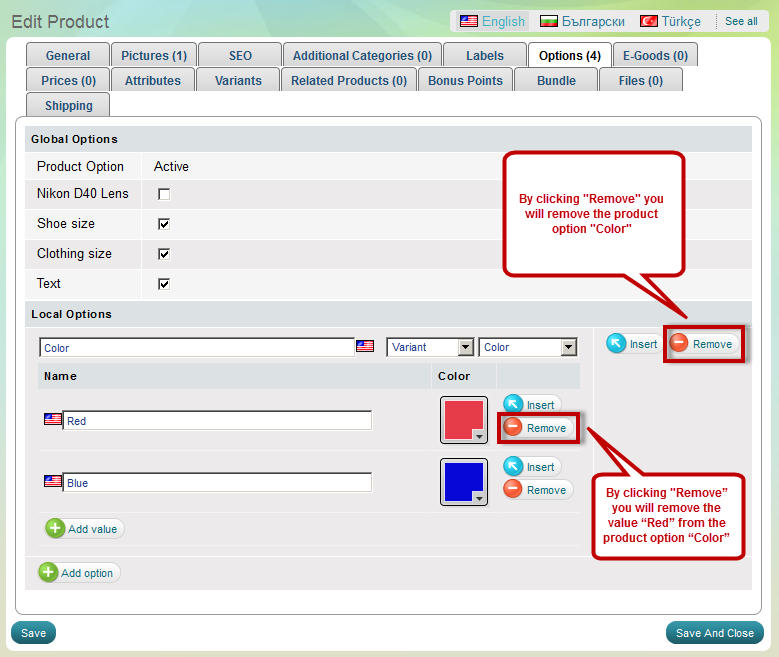
- If the product has Local product options assigned to it, you can remove them by clicking "Remove"