
 EN
 BG
 TR
 RO

Delete category
- Go to the Store menu, under 'Products' click on Categories link. 'Categories' page appears.
- Find the category you want to delete and click on
 at the end of its row. 'Delete category' page appears.
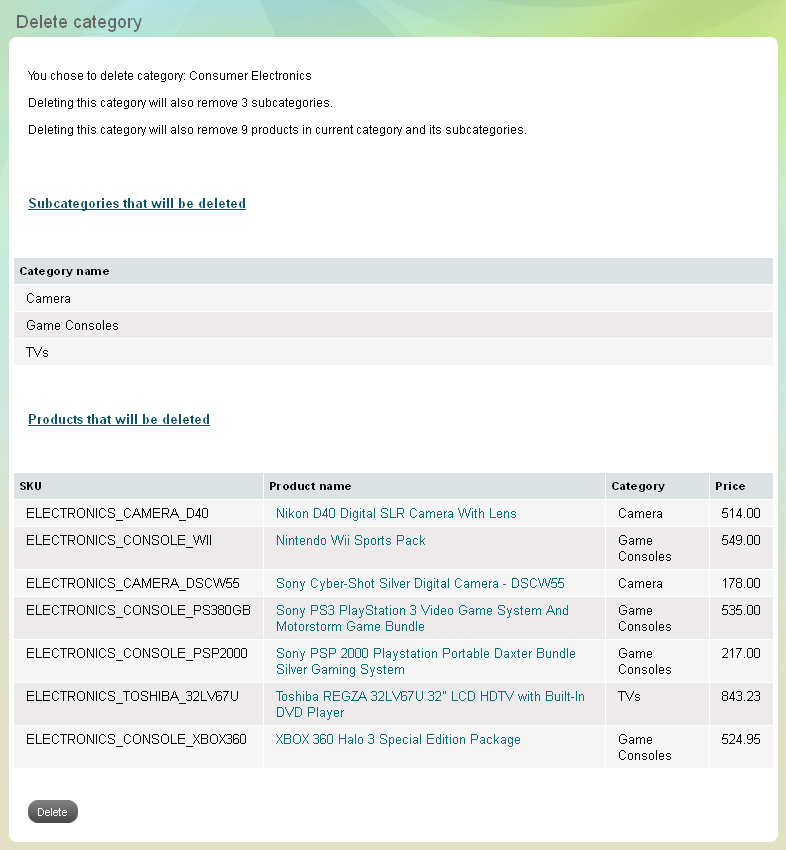
- Before deletion, you will see a summary of all subcategories and products that exist into the chosen category.
- After checking up the summary confirm you wish to delete the chosen category and click Delete button.
| Important: |
Usually a category consists of subcategories and products. When you delete a category you erase irreversibly all of its content - all belonging subcategories, and all primarily included products. |
|---|
| Tip: |
Check up the contents of a category very carefully before deletion. Use the contents summary that automatically appears on 'Delete category' page. |
|---|
Warning before category deletion