

 BG
BG TR
TR RO
RO FR
FR
PlatiOnline.ro
>> Open Summer Cart admin panel
>> Go to the Settings menu, under 'Modules' click on Payment link
>> Select 'PlatiOnline.ro'
Summer Cart shopping cart has an embedded module for credit card payments through PlatiOnline.ro payment system which guarantee secure online transactions.
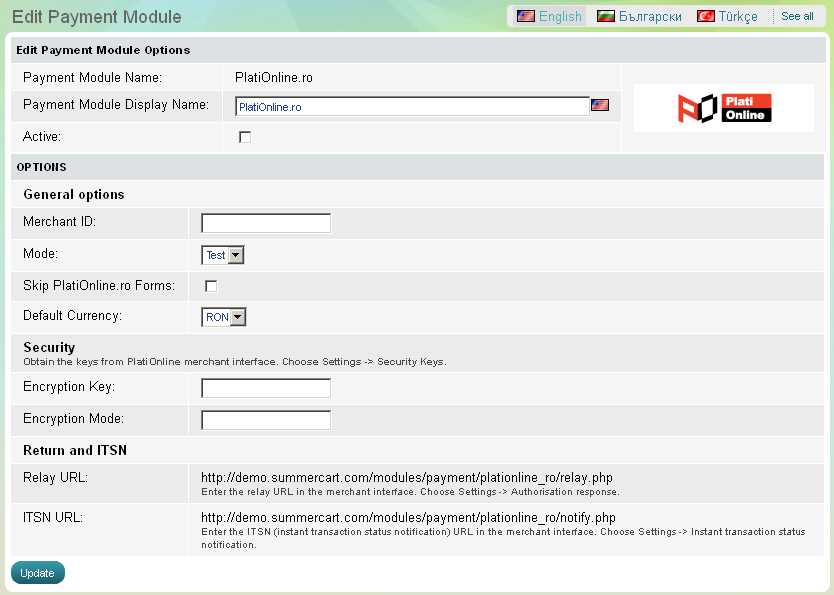
The PlatiOnline.ro module has 5 setup options that need to be completed before its activation:
Merchant ID Summer Cart store owner is required to enter his or her Merchant ID provided by PlatiOnline.ro Mode Test mode is only used in the initial setup phase to make online purchases without processing real card data. Remember that for secure real-time transactions your store must be switched to "Live" mode. Skip PlatiOnline.ro Forms Default CurrencyCheck this if you want to skip the forms provided by PlatiOnline.ro The EuPlatesc.ro merchant is required to choose default currency. The default currency for PlatiOnline.ro payments can be RON, EUR or USD.
Encryption Key, Mode Encryption | Obtain the keys from PlatiOnline merchant interface. Choose Settings -> Security Keys. |
Relay URL | Enter the relay URL in the merchant interface. Choose Settings -> Authorisation response. |
ITSN URL | Enter the ITSN (instant transaction status notification) URL in the merchant interface. Choose Settings -> Instant transaction status notification. |