
 EN
EN BG
BG RO
RO FR
FR
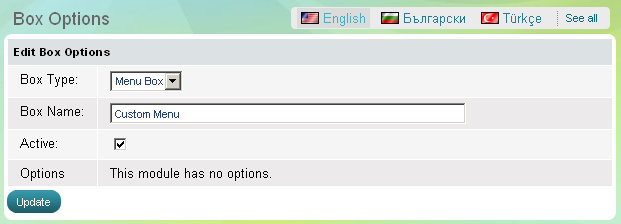
Custom Menu box
Use 'Custom Menu' box to show to website visitors helpful resources related with your store operations. In the 'Custom menu' you can add internal and external links. The box has one parameter - to be active, which means it is visible on the website, or the opposite - to be inactive, then the whole box disappears.
If you want to add, edit or delete links in the 'Custom Menu', read "Edit menu" topic.
| Important: |
You can create custom menu box by creating a new menu with location 'box'. The box will be automatically created. |
|---|
Go to the Website Content menu, under 'Website Layout' click on Boxes link.- Find the menu box and click on Options link at the end of the row. 'Box Options' page appears.