EN
EN BG
BG RO
RO FR
FR
FedEx shipping
- Go to the Settings menu, under 'Modules' click on Shipping link.
- Find 'FedEx' and click on Options link at the end of its row.
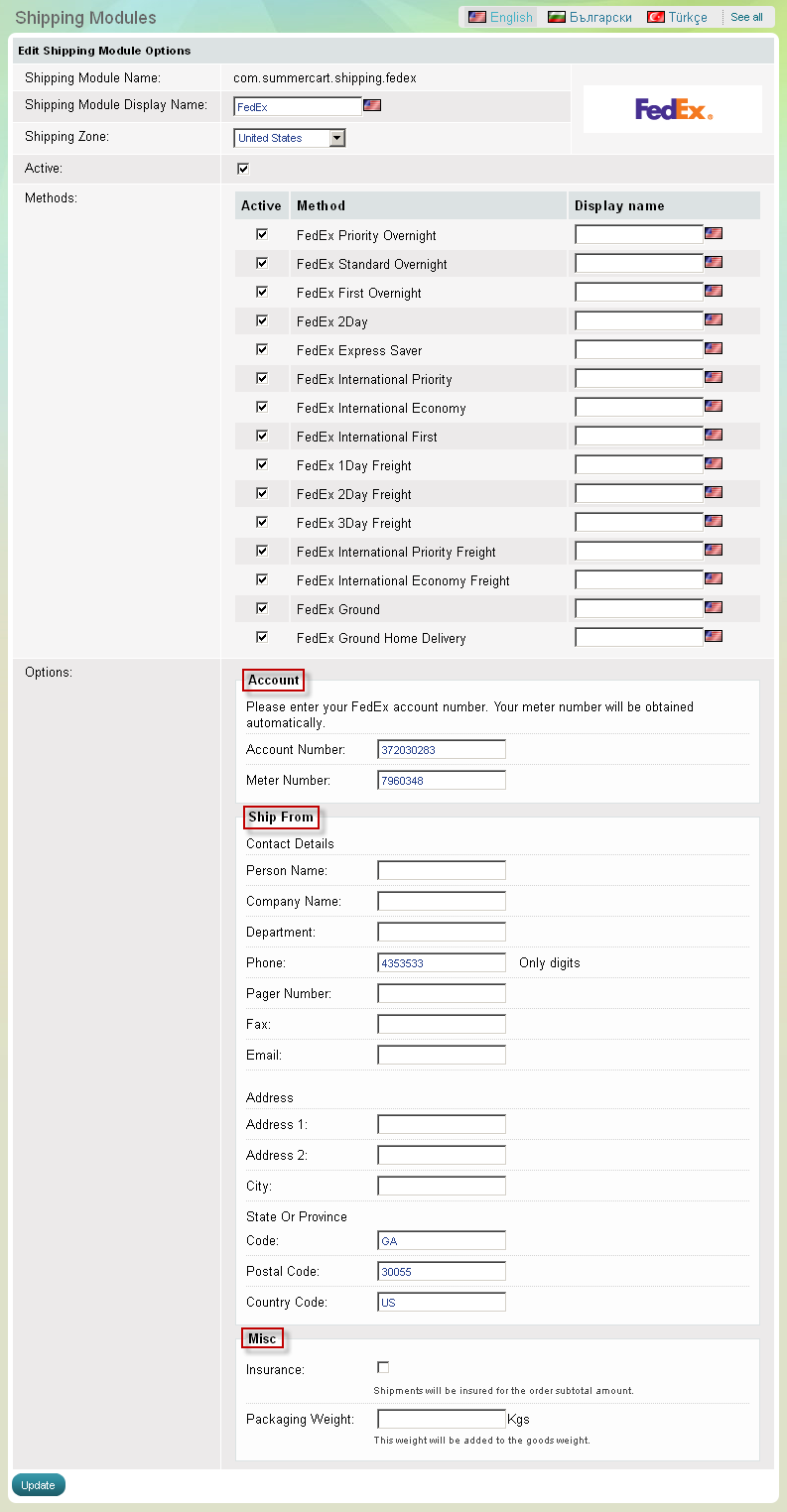
In the Summer Cart store a special built-in module enables you to calculate in real time FedEx shipping fees for an order. To set up real-time FedEx shipping calculation follow these steps:
- opt for a shipping zone
- give an active status
- choose, if necessary, from the list of FedEx shipping services
- submit FedEx account details
- submit sender's name and address
-
check insurance options
Choose an appropriate shipping zone from 'Shipping zones' drop-down menu.
If you still haven't created an appropriate shipping zone, please go to the Settings menu, Locations and Taxes >>> Shipping zones link and create a new shipping zone.
'FedEx Shipping' Options