EN
EN BG
BG TR
TR FR
FR
Emails
>> Open Summer Cart admin panel
>> Go to the Settings menu, under 'Store Configuration' click on Emails link.
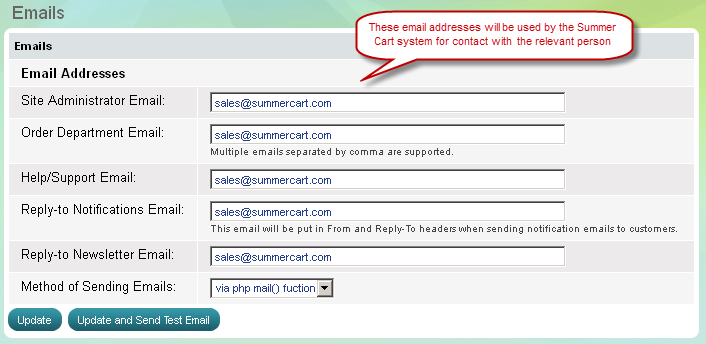
At 'Emails' page you can submit emails which the Summer Cart system will use to contact a website administrator, Order department and Help/Support team.
Multiple emails can be entered in each of the fields, separated by comma. If multiple emails are entered a notification will be sent to all of them.
You can also choose how emails from Summer Cart will be send, via php mail() function or via SMTP server.