

 EN
EN BG
BG TR
TR RO
RO
Delete coupons
Delete A Coupon
Go to the Store menu, under 'Promotion' click on Coupons link. 'Coupons' page appears. 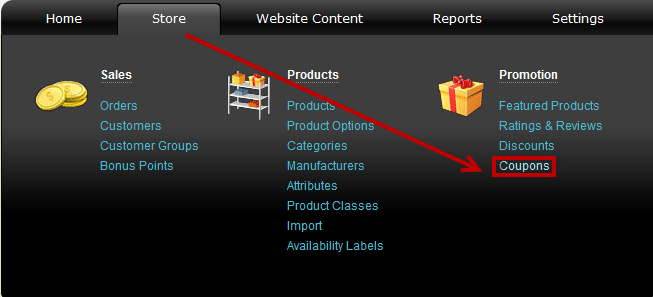
Find the coupon you wish to delete using Filter options and click on  at the end of its row. Confirm you wish to delete it in a pop-up window.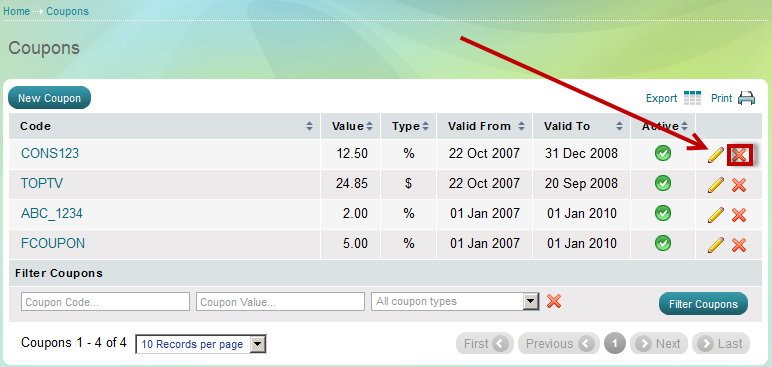
You could also deactivate the coupon, preserving it for future use. Do that by clicking the  button. It will change to this state -
  , showing that the coupon is no longer active.
| Important: |
A coupon can be applied to orders, categories, products and customers. If you delete an active coupon you practically stop to offer the discounts it refers to orders, categories, products and customers. |
|---|