

 EN
EN BG
BG TR
TR RO
RO
Add featured products
How to add a featured product
- Go to the Store menu, under 'Promotion' click on Featured Products link. 'Featured Products' appear.
- Click on 'New Featured Product' button on top of page. 'Create featured product' appears.
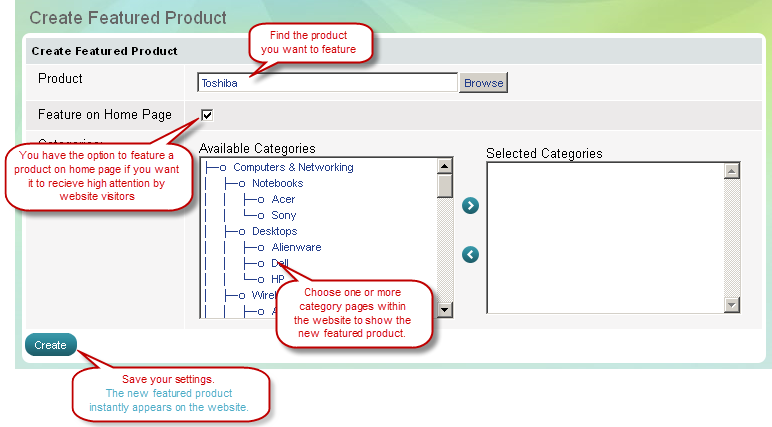
- Browse for a product from your product list by clicking on Browse button. 'Select product' dialog box appears.
'Select Product' dialog box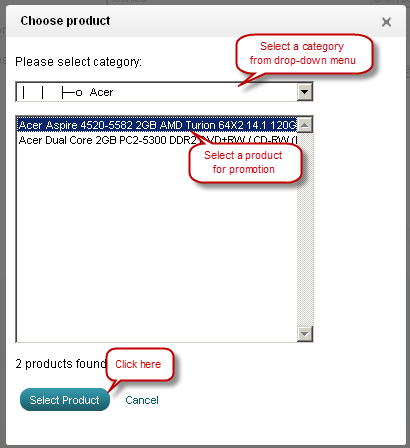
| Tip: |
Featured products on Home page get attention by all website visitors. Featured products in Category pages receive less attention by quantity, but highly targeted by quality. |
|---|
| Tip: |
To display a featured product on Home page only mark the checkbox 'Feature on home page', and do not select any category page. |
|---|