
 BG
BG TR
TR RO
RO FR
FR
Manufacturers box
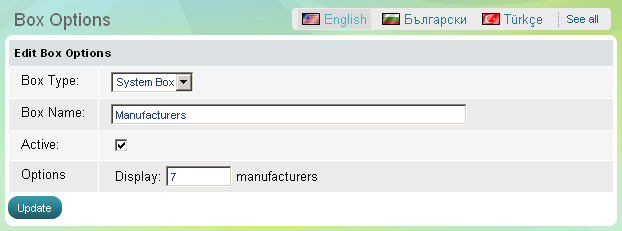
Use 'Manufacturers' box to show to website visitors a list of manufacturers included in your store. The box has 2 parameters
- to be active, which means it is visible on the website, or the opposite - to be inactive, then the whole box disappears
- how many manufacturers will be shown in the shortlist
If you want to add, edit and delete manufacturers see the Manufacturers topic.
- Go to the Website Content menu, under 'Website Layout' click on Boxes link.
- Find 'Recently Viewed' and click on Options link at the end of the row. 'Box Options' page appears.